
See where slow pages lose time
Follow response-time trends and spot changes early. From Starter, each check shows its stages.
Website monitoring, made simple
Uptime, SSL certificate, domain, and DNS checks for every website you add. Get alerted when an outage is confirmed, and see response times and incidents in one dashboard.
shop.example
Counts as 1 websiteUp, 99.98% in 30 days
Response time, 24 hours212 ms now
app.example
Down
Incident open, HTTP 503
Alert sent by email and Telegram
blog.example
Up
4 checks, all passing
Each website carries its own four checks. Your plan counts the websites.
Built around your websites
Every website gets uptime, SSL certificate, domain, and DNS checks, on every plan. Plans count websites, so choosing one stays simple.
shop.example
Counts as 1 websiteIs the site answering?
Every 1 to 5 minutes, by plan
Is it valid, and when does it expire?
64 days left
Every 6 hours
When does the registration run out?
12 days left
Once a day
Does your domain name still resolve?
Resolving
Every hour
A website is one address. A second address counts as a second website. Domain dates appear where the registry publishes them.
Understand what is happening, investigate incidents, and keep the right people informed. Examples below use demo data.
Follow response-time trends and spot changes early. From Starter, each check shows its stages.
Each incident shows when it started and ended. Status pages, from Starter, show availability day by day.
30 days agoToday
Keep a history of interruptions, with the reason shown.
Send alerts through the channels you set up.
shop.example is down
HTTP 503. Sent by email and Telegram.
Public status pages, included from Starter.
All systems operational
Check reachability from up to five monitoring locations, depending on your plan. A website counts as down only when more than half of the locations that answer agree.
1
Enter its address. Uptime, SSL certificate, domain, and DNS checks come with it.
2
Pick the interval that suits you, within what your plan allows.
3
Decide how your team should hear about issues.
4
Review status, response times, and incidents in one place.
Choose the notification channels that fit your workflow and act on incidents with the context you need.
shop.example is down Demo alert
The site answered HTTP 503. You hear again when it recovers.
All systems operational
Online storeOperational
CheckoutOperational
Help centerPlanned maintenance tomorrow
Share service status and make incident updates easier to find with a public status page. Status pages are included from the Starter plan.
A site can fail while nobody notices. Get a plain signal when it does, without watching it yourself.
Outages cost customer trust. Hear about incidents early and be open about them on a status page.
Stop checking sites by hand. See them all in one list, with the failing request explained.
Keep client sites under one account, with plans counted by website. From Business, send each client a monthly report and give them a view-only portal.
measured over the last 90 days
90 days agoToday
UptimeWire status Example
All systems operational
WebsiteOperational
DashboardOperational
AlertsOperational
Get incident updates Email RSS
UptimeWire publishes the status of its own service in the open. See how it has been running and read about any incident, without signing in.
The status page is in English.
UptimeWire mobile app
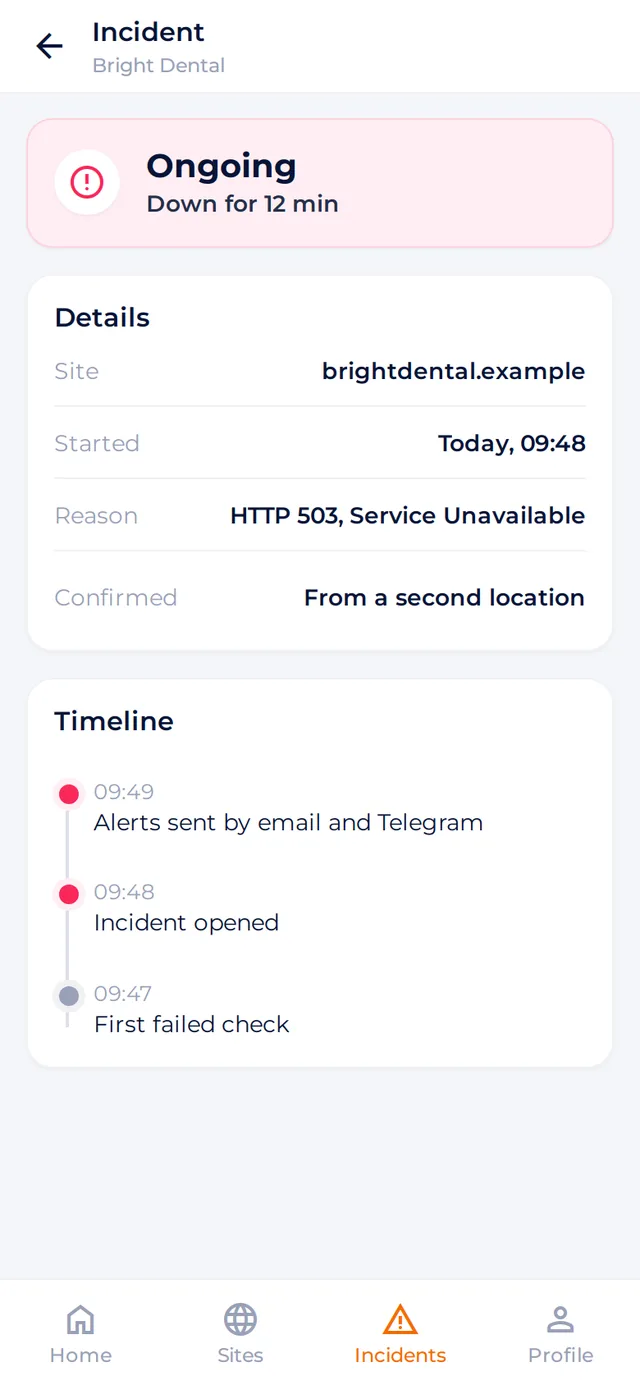
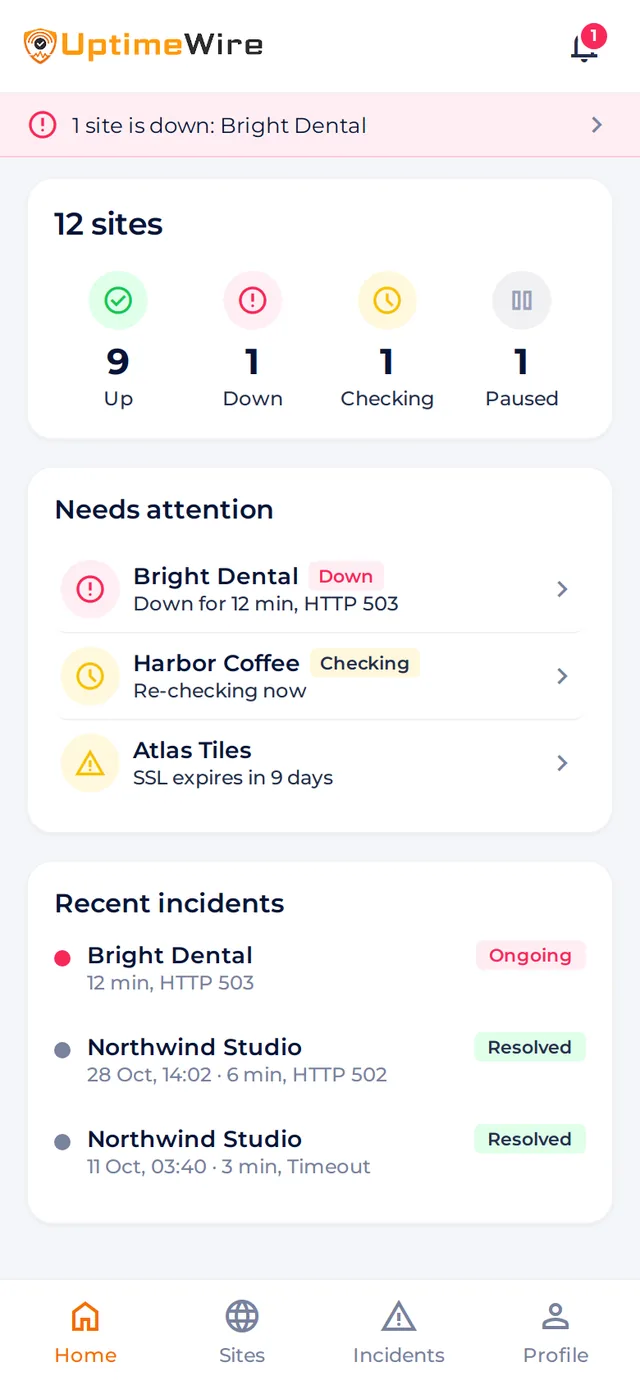
Stay connected to your websites wherever you are. Check uptime, review incidents, and keep track of important alerts, right from your phone.
Check your websites' current status and important monitoring information wherever you are.
Receive push notifications about confirmed incidents and important monitoring events.
Explore incident details and monitoring history without opening your laptop.


Simple, transparent pricing
Every plan includes all four checks for each website.
$0
No payment
1 website
Alerts: Email, Telegram, push
Get Started Free$19 /month
Billed monthly
$190 /year
One annual payment, about $15.83 a month
10 websites
Alerts: Email, Telegram, push, webhook, Discord
Choose Starter$49 /month
Billed monthly
$490 /year
One annual payment, about $40.83 a month
25 websites
Client reports, a public status page, and a client portal
Alerts: Email, Telegram, push, webhook, Discord, Slack, Teams, SMS packs
Choose Business$99 /month
Billed monthly
$990 /year
One annual payment, about $82.50 a month
100 websites
Client reports, a public status page, and a client portal
Alerts: Email, Telegram, push, webhook, Discord, Slack, Teams, SMS packs
Choose AgencyWhat counts as a website: one address, with its uptime, SSL certificate, domain, and DNS checks. A second address counts as a second website.
On every plan: all four checks, alerts by email, Telegram, and push, and planned maintenance notes.
One address, together with its uptime, certificate, domain, and DNS checks. Each address you add counts separately, so shop.example, www.shop.example, and shop.example/blog are three websites.
Yes. The Free plan includes monitoring for one website.
Annual plans are billed as one annual payment: Starter $190, Business $490, and Agency $990.
Yes. Paid plans support 10, 25, or 100 websites, depending on the plan.
UptimeWire records an incident and notifies you through the channels available in your plan and configuration. When the website recovers, you hear about that too.
Yes. Public status pages let you share service availability, and they are included from the Starter plan.
Start with one website for free and keep a closer eye on what matters.